Want to read Japanese manga in English but official translations aren't available — or you're tired of waiting months for them? You can translate manga pages yourself, and the good news is: modern AI tools can do this while preserving the original art style, speech bubble layout, and even matching fonts.
This guide shows you exactly how to do it.
Why Regular Translation Tools Don't Work for Manga
You might think: "I'll just use Google Translate's image feature."
Here's what actually happens:
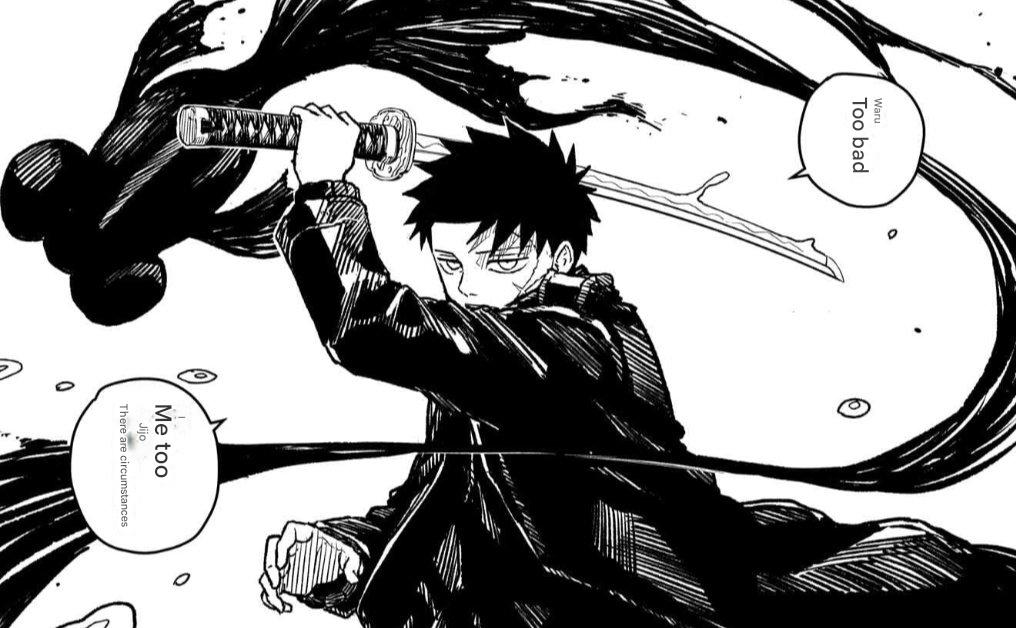
The problems with generic image translators:
- Text overlay destroys the art — They slap translated text on top without removing the original, creating a messy overlap
- Font mismatch — The translated text uses system fonts that look completely out of place in manga
- Speech bubble formatting breaks — Vertical Japanese text gets replaced with horizontal English that doesn't fit the bubble shape
- No style preservation — The original hand-drawn feel is lost
Google Translate uses older deep learning technology that wasn't designed for this use case. It works fine for translating a restaurant menu or a street sign, but manga requires something different.
What You Actually Need for Manga Translation
A good manga translation tool should:
- Detect text accurately — Including stylized fonts, sound effects, and vertical text
- Remove original text cleanly — Without leaving artifacts or damaging the artwork
- Generate translations that fit — Both linguistically and visually
- Match the visual style — Font weight, size, and positioning that looks natural
Step-by-Step: Translate Manga Images Online
Here's how to translate a manga page using TranslateImage AI:
Step 1: Upload Your Manga Page
Go to TranslateImage AI and drag your manga image into the upload area. The tool supports JPG, PNG, and WebP formats.
Tip: Higher resolution images give better results. If you're scanning physical manga, aim for at least 300 DPI.
Step 2: Select Your Languages
Choose Japanese (or Korean/Chinese, depending on your source) as the source language, and English as your target language.
Step 3: Let the AI Process
The AI will:
- Detect all text regions in the image
- Analyze the context for accurate translation
- Remove original text and reconstruct the background
- Generate translated text with appropriate styling
This typically takes 5-15 seconds depending on how much text is on the page.
Step 4: Download Your Translated Page
Once processing is complete, you'll see a preview. Download the translated image — it maintains the original resolution and format.
Before & After: Real Examples
Here's what the translation actually looks like with a page from Kagurabachi:
Original Japanese
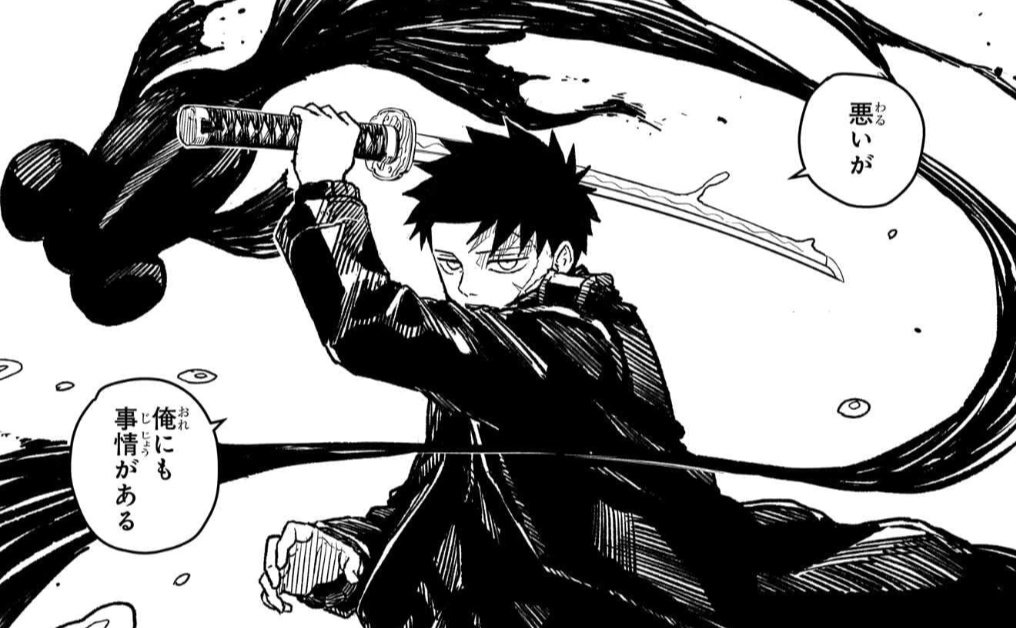
Google Translate Result
Notice the problems: text is awkwardly placed, fonts don't match, and the furigana (small reading guides) creates visual noise.
TranslateImage AI Result
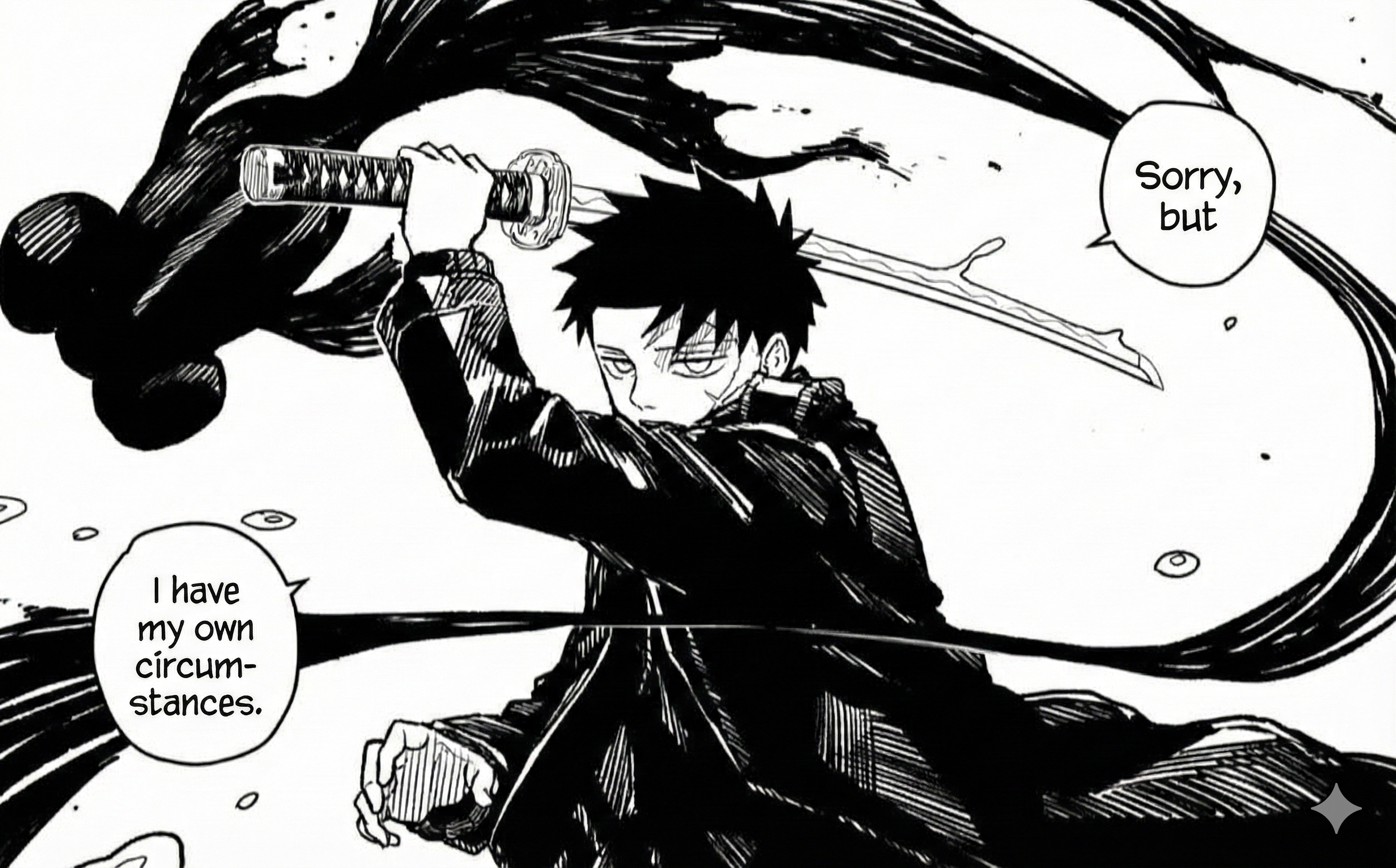
The difference is clear:
- Speech bubbles remain clean and properly formatted
- Text sizing adjusts naturally to fit each bubble
- The art style is completely preserved
- No leftover Japanese characters or artifacts
Tips for Better Manga Translation Results
Based on translating thousands of manga pages, here are some tips:
Image Quality Matters
- Use the highest resolution source you can find
- Avoid heavily compressed JPGs — they introduce artifacts that confuse text detection
- If scanning physical manga, clean the scanner glass and use a dark backing
Some Pages Work Better Than Others
- Pages with clear, standard fonts translate best
- Highly stylized or hand-drawn text may need manual touch-up
- Very small text (like background signs) might not be detected
For Best Results
- Process pages one at a time rather than in bulk
- Check translations for context — AI can miss nuance in jokes or cultural references
- Sound effects sometimes work better left untranslated (many readers prefer this)
Common Questions
Is this legal?
Translating manga for personal use is generally fine. Distributing translated versions publicly without permission from the copyright holder is not. This tool is designed for personal reading, not for creating scanlations for mass distribution.
How accurate are the translations?
The AI uses the same technology as modern translation services (in our case, Google's Gemini). For straightforward dialogue, accuracy is high. For wordplay, cultural jokes, or ambiguous context, you may want to verify with other sources.
Can I translate Korean manhwa or Chinese manhua?
Yes. The tool supports Japanese, Korean, and Chinese. Korean and Chinese both work well since they use distinct character sets that are easy to detect.
What about right-to-left reading order?
The tool translates text only — it doesn't flip the page layout. Japanese manga is traditionally read right-to-left, and the translated version maintains this original layout.
Start Translating
Ready to read your favorite manga in English?
Try TranslateImage AI - sign in, choose a credit pack, and see the quality on your own pages.
Have questions or feedback? Email us at support@translateimage.ai — we're always improving based on user input.