Most image translators promise to "preserve the original layout." The real question is what happens when you look closely: are the panel lines still sharp? Is the poster's texture intact? Does the text look like it belongs, or like it was stamped on top?
This article is a before/after gallery of translated artwork - manga, board games, documents, and product images - and an honest explanation of what "preserved" means in each case, including what happens when a translation needs a fix.
Manga: the strictest test
Manga is the hardest case for image translation. Hand-drawn art, screentones, vertical text, and sound effects that are part of the drawing. If a translator survives manga, it survives everything.
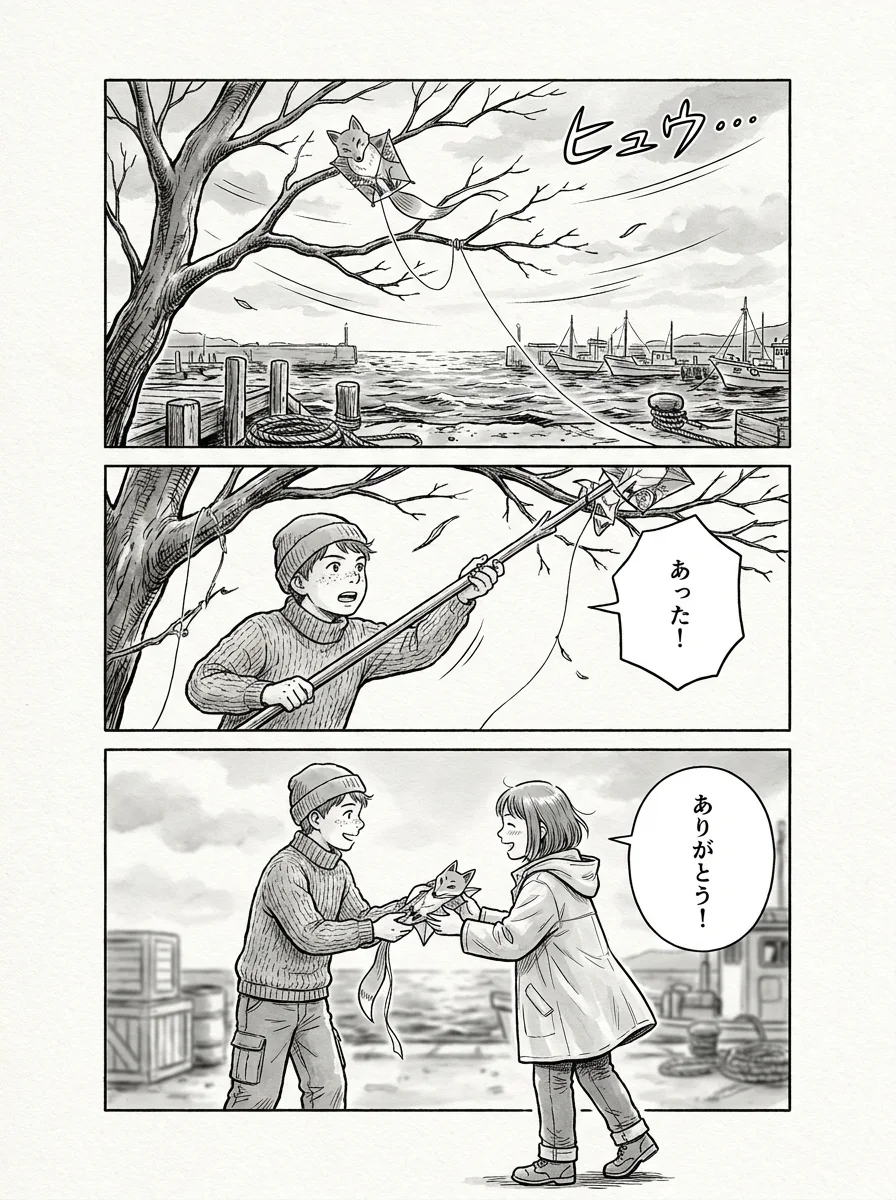
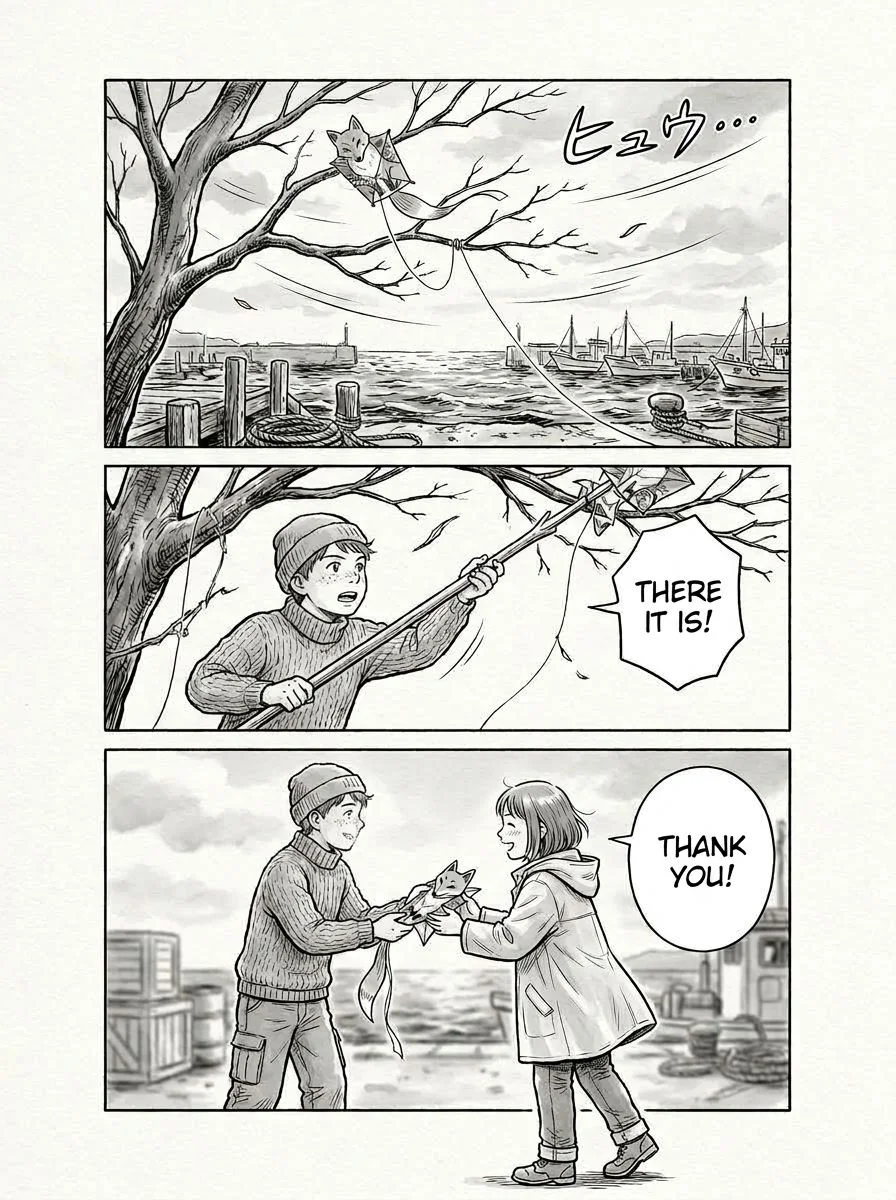
What to check in the translated version:
- Screentones and shading - the textures behind the removed text should be continuous, not smeared or re-generated.
- Balloon shapes - the bubbles keep their original outlines; only the text inside changes.
- Font matching - translated text inherits the weight and style of the original, not a generic system font.
- Panel composition - nothing is re-flowed. The page is still the same page, with different words.
Board games and box art
Box art is a poster with stakes: wrong text is embarrassing, re-rendered texture is obvious, and the product photo has to stay honest.
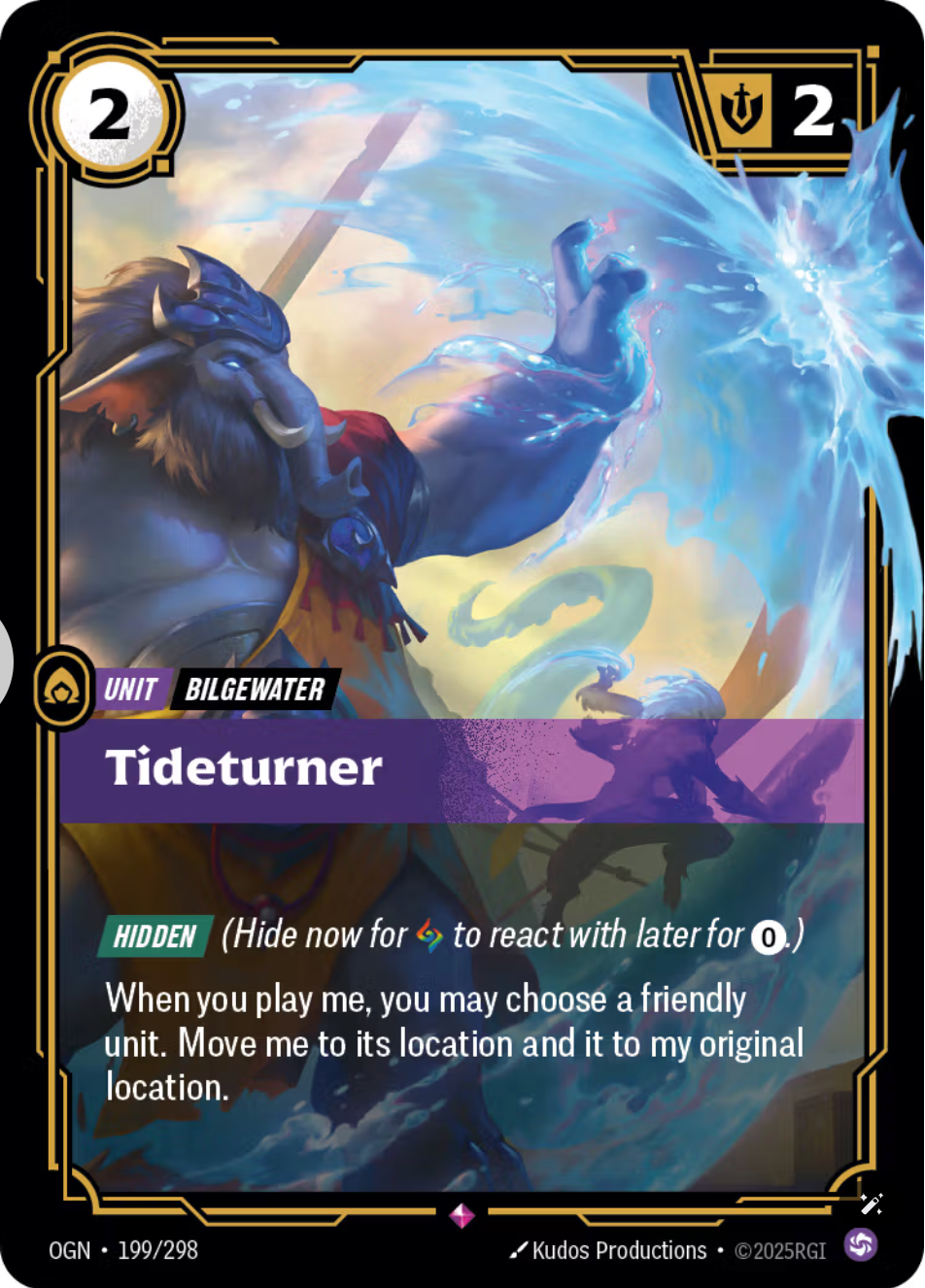
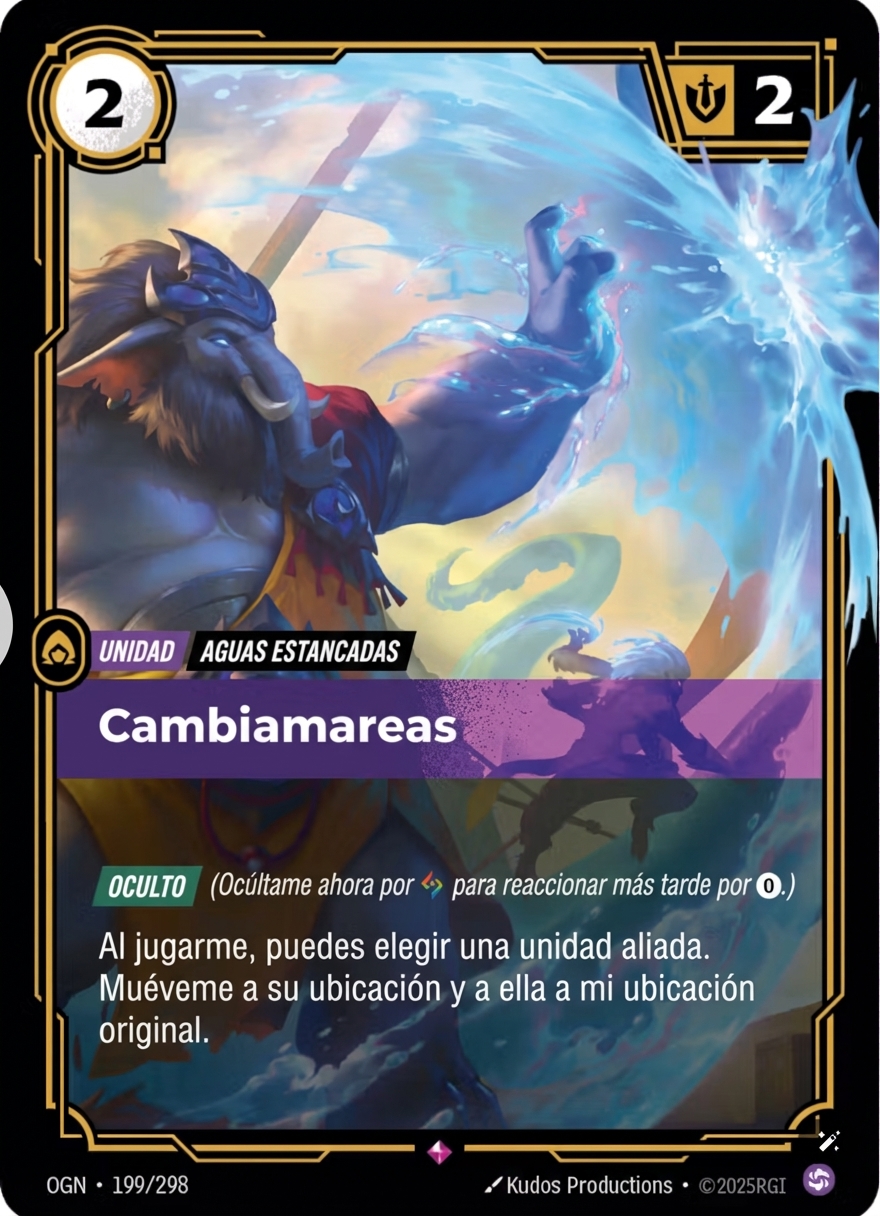
Box art translation is where editing matters most. A mistranslated tagline on a box is not something you want to re-run and hope - you want to point at the region, fix the word, and keep the rest of the artwork intact.
Documents and reports
Documents are less dramatic and more demanding in a different way: the layout is information. Tables, headers, and margins have to survive, or the translation is useless even when every word is right.
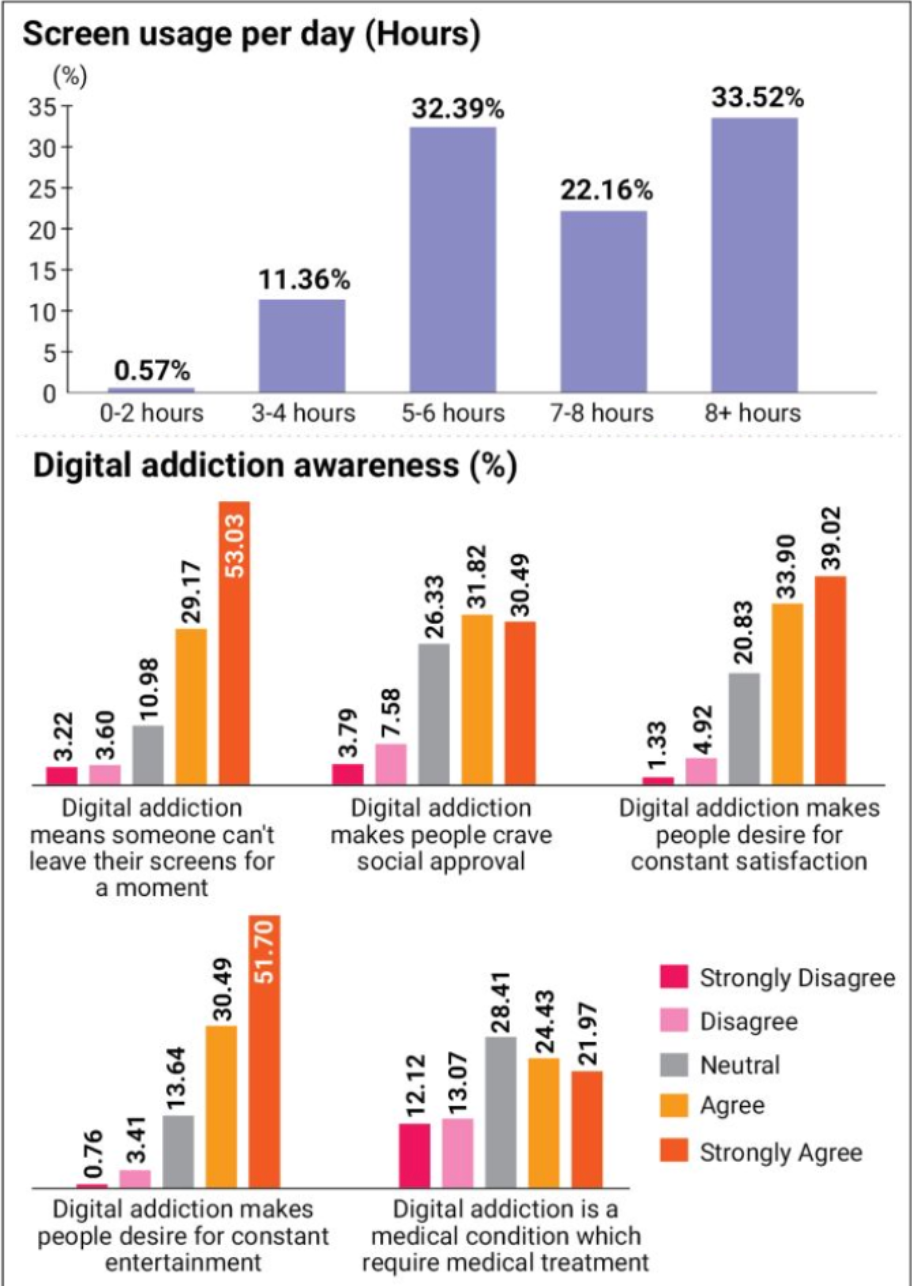
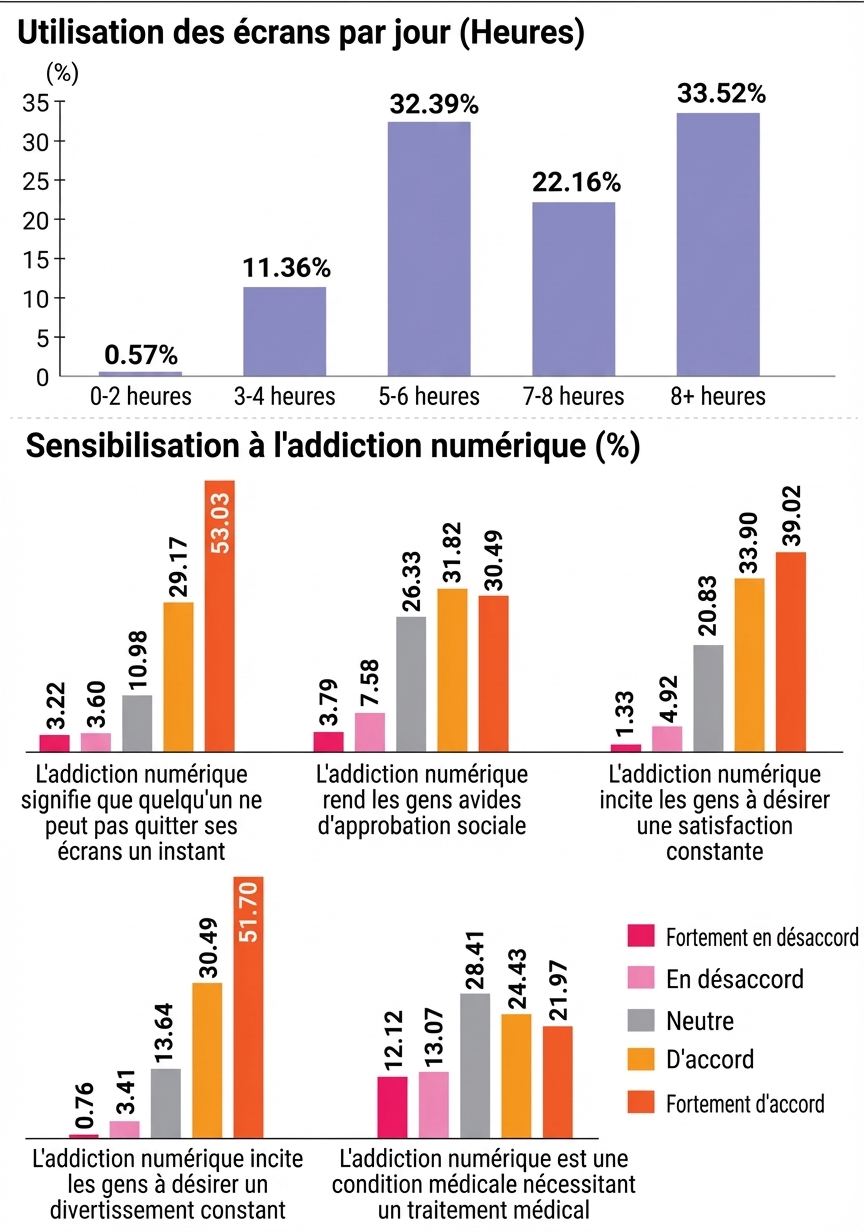
Product images
E-commerce images are translated text over real photography. The product, the lighting, and the reflections are not "art" - they are the product, and they cannot change.
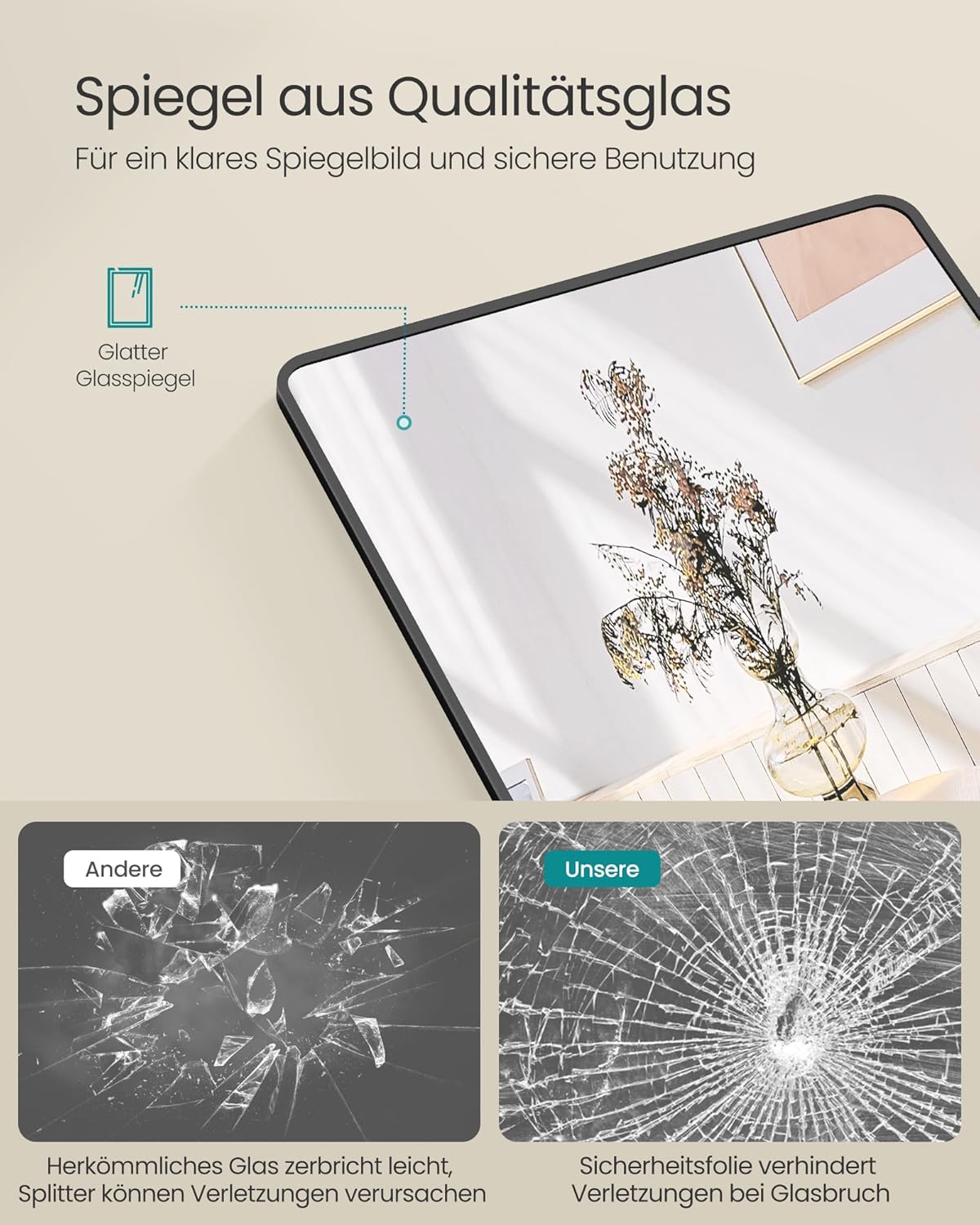
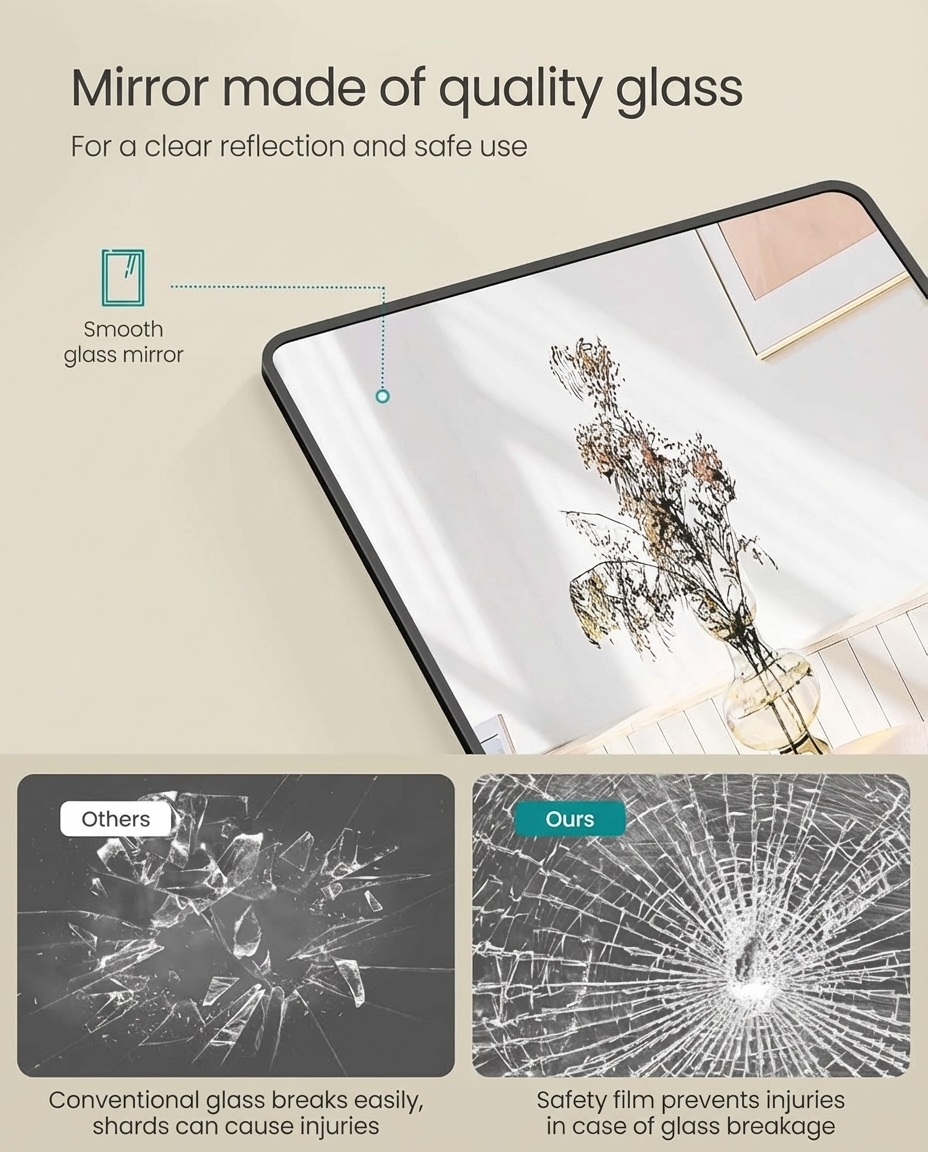
What "preserved" actually means
When we say the art survives, we mean three specific things:
- Only the selected spot and a small margin around it are re-edited. Everything outside that area is left exactly as it was - no re-sampling or re-rendering of the rest of the image.
- Text regions are repainted in the original style. The font, size, and color of each region are matched as closely as possible, not a generic overlay.
- The layout is invariant. Translation never re-flows a page. A panel is a panel, a table is a table.
When translation needs a second pass
Here is the honest part: no automatic translation is perfect on the first pass, especially with stylized art. The difference is what happens next.
With a one-shot translator, the second pass is a full re-run - pay full price, wait, and risk regressions elsewhere. With an editable translator, the second pass is a region fix: click the wrong word, type the correction, and AI repaints only that spot. The art you approved stays as it was; only the area around the word is re-edited.
For manga specifically, this is the workflow scanlation teams used to do by hand: clean, typeset, check, fix. The Editor automates the fix step - and corrections you save go into a glossary that makes future pages more consistent.
Try it on your own artwork
The gallery above uses the built-in examples on TranslateImage AI. Upload your own manga page, poster, or product shot, translate it, and check the details:
- Translate an image and download the result.
- Zoom into the text regions - check the art around them.
- If anything is off, open the Editor, click the region, and fix it.
That last step is one few translators offer. See how it works on the Image Translation Editor page.
Try it: Translate an image now, then open the Editor to fix any word - and watch the rest of the art stay exactly as it was.